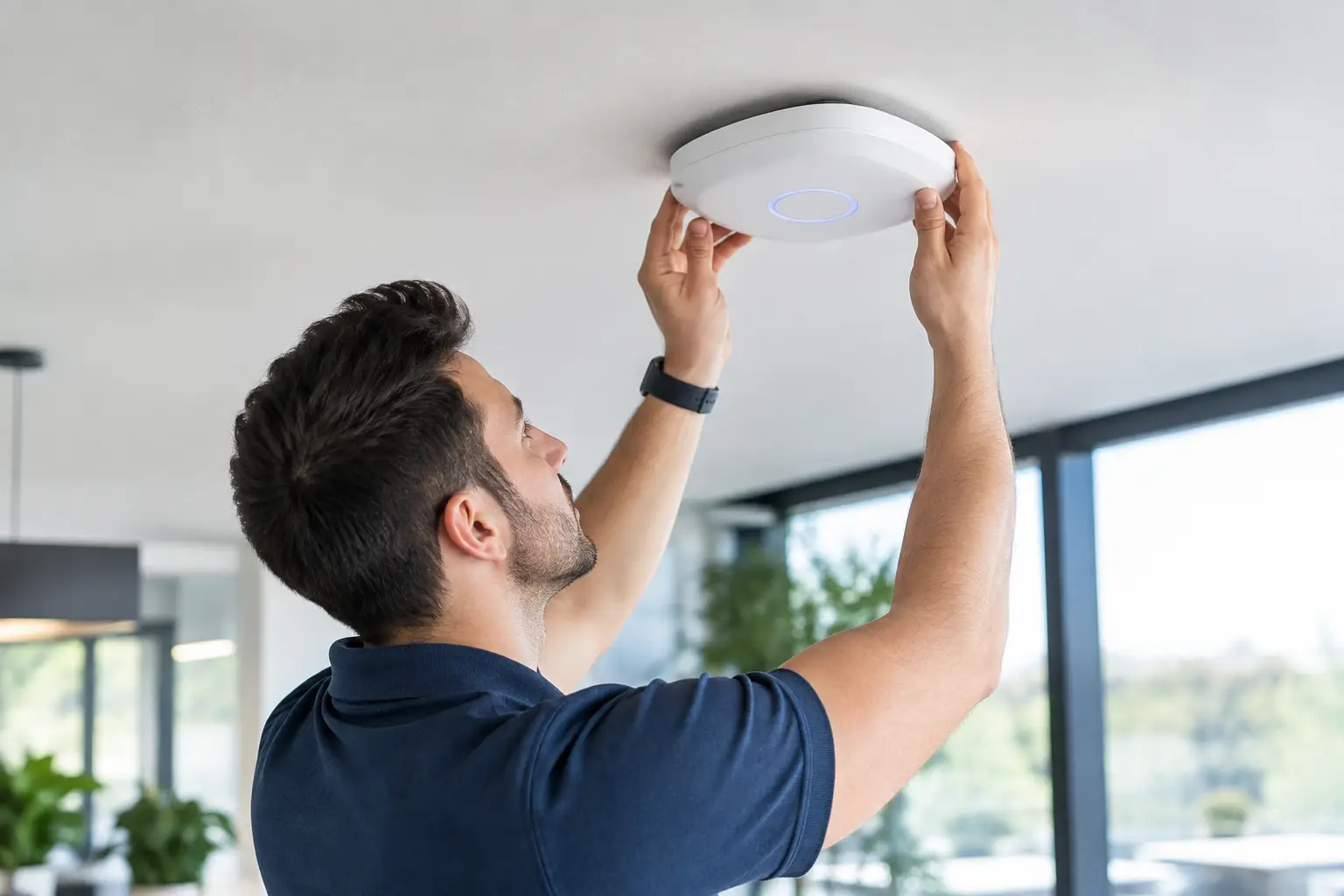
A beautiful home can still have dead zones. The office over the garage drops video calls, the lanai will not hold a camera connection, and the guest suite gets weak signal because the router is tucked into a closet at the other end of the house. Proper wifi access point installation fixes those problems at their source by putting coverage where people and connected devices actually need it.
For Southwest Florida homeowners, reliable WiFi is more than a convenience. It supports cameras, smart locks, alarm apps, thermostats, garage access, streaming TVs, and remote check-ins when you are in another state. A local technician should look at the layout, construction, existing wiring, and the way you use the property before recommending equipment. That is how you avoid paying for a system that looks impressive on paper but falls short in the rooms that matter.
Why a Router Alone Often Is Not Enough
Most internet providers install one combination modem and router, often near an exterior wall, utility room, or closet. That location may be convenient for the provider, but it is rarely ideal for a large home. WiFi signal weakens as it passes through concrete block, metal framing, tile, mirrors, appliances, and dense interior walls. South Florida homes with poured concrete construction can be especially challenging.
A faster internet plan does not solve a coverage problem. You may have plenty of speed entering the home, but poor signal reaching the bedroom, dock, detached guest space, or outdoor living area. The practical fix is usually to distribute the network through one or more wired access points rather than asking a single router to serve every corner of the property.
An access point connects back to the main network and broadcasts WiFi from a better location. When it is hardwired with Ethernet cable, it has a dependable connection to the network instead of trying to relay a weakened wireless signal. That makes a real difference for security cameras, video doorbells, remote work, and devices that must stay online while the home is vacant.
What Professional WiFi Access Point Installation Includes
A professional installation starts with the property, not a generic equipment package. The right number and placement of access points depends on the square footage, floor plan, wall materials, outdoor areas, detached structures, and device count. A 2,000-square-foot open floor plan may need less equipment than a smaller concrete home with separated wings and a screened lanai.
The technician should first identify where internet service enters the home and inspect the current network setup. Existing Cat5e or Cat6 wiring, structured wiring panels, and usable network switches can often be reused. That can keep costs under control and avoid replacing equipment that is still doing its job.
Access points are then placed where coverage is needed, commonly on ceilings or high walls in central areas. Proper placement matters. An access point hidden in a cabinet, installed behind a television, or placed at one extreme end of the home will not deliver the coverage it can provide. For vacation homes and rentals, special attention should go to entry points, camera locations, smart locks, pool areas, and any space where vendors or guests need dependable access.
A complete job also includes configuring the network correctly. That means setting secure WiFi names and passwords, confirming that devices connect reliably, and checking coverage in the locations that caused trouble in the first place. If the system supports a separate guest network, that is often a smart choice for visitors, renters, and service providers. It keeps personal devices and security equipment separate from guest traffic.
Wired Access Points vs. Mesh WiFi
Mesh systems are heavily advertised because they are easy to buy and simple to set up. In the right home, they can be a reasonable option. But wireless mesh nodes communicate with one another over WiFi, which can reduce available performance as the signal travels from node to node. Concrete construction, long distances, and crowded wireless environments can make that trade-off more noticeable.
Hardwired access points cost more upfront when new cable must be run, but they are usually the stronger long-term answer for homes that depend on cameras, automation, and remote property oversight. Each access point has a direct wired path back to the network, which provides more consistent performance and better capacity for multiple devices.
It depends on the home. A modest seasonal condo may be well served by a carefully placed mesh system. A larger Naples residence, Marco Island property, or vacation rental with multiple cameras and outdoor amenities generally benefits from wired infrastructure. A technician-led evaluation helps you spend money where it will produce a real result, not just add more blinking boxes.
Coverage Matters for Security and Remote Access
Weak WiFi can create problems that look like camera or alarm failures. A camera may appear offline in the app, a smart lock may respond slowly, or a garage controller may lose connection after a power interruption. Sometimes the device itself is the problem. Just as often, the issue is that the network signal where that device is installed was never strong enough.
This is particularly important for owners who are away for weeks or months. Remote access only works when the equipment at the property remains connected. Reliable WiFi helps you check camera views, receive notifications, adjust thermostats, verify a garage door is closed, and manage access for cleaners, pool companies, contractors, or arriving guests.
WiFi should not be treated as an afterthought when installing security equipment. Camera locations and access point placement should be planned together. A strong signal near the television is helpful, but it does not do much for a camera at the far end of the driveway or a doorbell at a concrete entryway.
Do Not Forget the Network Equipment
An access point installation is only as dependable as the equipment supporting it. Older routers, underpowered switches, failing power supplies, and poorly organized wiring can limit performance. In some homes, the main router should remain in place while the wireless function is turned off and purpose-built access points handle coverage. In others, the router or firewall needs an upgrade as part of the project.
Power protection is also worth discussing. Southwest Florida storms and brief outages can affect internet equipment just as easily as televisions and appliances. Battery backup for essential network components can keep the system online through short interruptions, although it will not help if the internet provider’s service is down. For homes with security systems and remote cameras, that distinction matters.
Common WiFi Installation Mistakes to Avoid
The most common mistake is buying equipment before understanding the problem. More expensive hardware cannot overcome poor placement, weak incoming internet service, or a lack of wired connections where they are needed. Another common mistake is assuming every WiFi issue is a signal issue. Slow performance may be caused by an outdated internet plan, network congestion, defective equipment, or interference from nearby networks.
Homeowners also run into trouble when they add repeaters one at a time. A repeater can extend a signal, but it may also add delay and reduce performance. It is not automatically wrong, especially for a small isolated area, but it should not be the default fix for a whole-home network.
Finally, avoid treating the network password as the only security setting that matters. A properly configured home network should use current encryption, strong unique credentials, firmware updates, and sensible separation between personal devices, guests, and connected property systems. If you manage a rental or regularly allow vendor access, this becomes even more useful.
When to Call a Local Technician
Call for an evaluation when certain rooms consistently lose signal, cameras disconnect, smart devices are unreliable, or the network becomes frustrating whenever more than a few people are online. It also makes sense before remodeling, adding a guest suite, installing new cameras, or preparing a home for seasonal occupancy. Running cable during a renovation is typically easier and cleaner than trying to add it after walls and ceilings are finished.
Vigilant Security provides technician-led WiFi access point installation for homeowners and property owners throughout Southwest Florida. The goal is not to push unnecessary equipment. It is to build coverage that supports the way your home operates, reusing functional wiring and equipment when it makes sense and clearly explaining when an upgrade is worth it.
If your home technology depends on a signal that only works in half the house, start with a straightforward assessment of the layout and existing network. A well-placed access point can turn unreliable remote access into something you can count on when you are miles away.
Leave a Reply