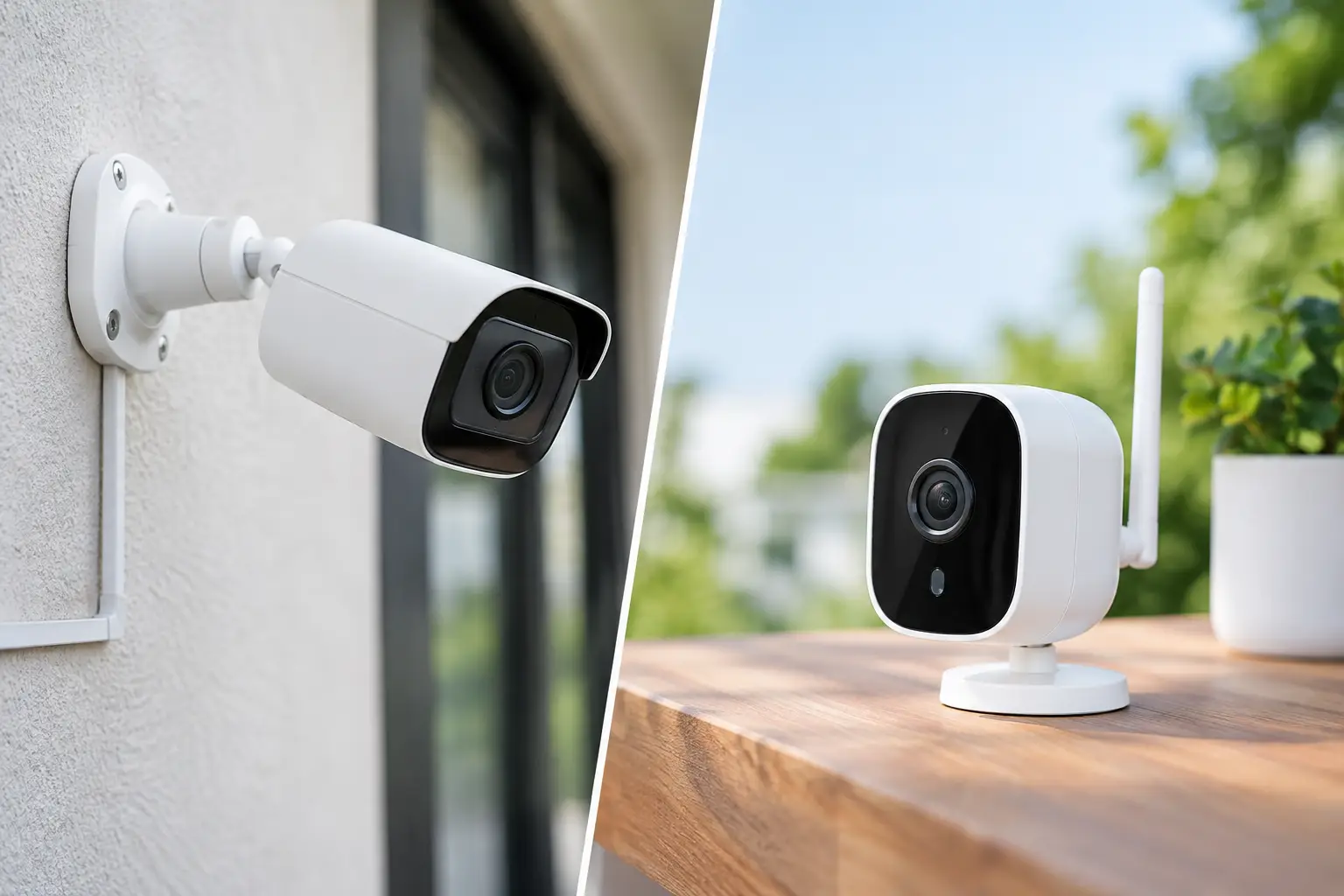
A camera that looks great in an app is not much help if it goes offline during a summer storm, misses the driveway because its battery ran down, or cannot capture a clear face at night. When comparing wired versus wireless cameras, the right answer depends less on the box and more on your property, internet connection, power availability, and how you plan to use the system while away.
For homeowners, seasonal residents, and vacation-rental owners in Southwest Florida, reliability usually matters more than having the least visible installation. That does not make wireless cameras a bad choice. It means the decision should be made with clear expectations about what each system can and cannot do.
Wired Versus Wireless Cameras: The Core Difference
A wired camera normally receives constant power through a cable. Many professional systems use Power over Ethernet, often called PoE, which carries power and video data over one network cable. The cameras connect to a recorder on-site, and the recorder can be accessed remotely through an app.
A wireless camera uses WiFi to send video to a base station, cloud service, recorder, or app. Some are powered by a nearby outlet, while others run on rechargeable or replaceable batteries. Wireless describes the video connection, not always the power source. A camera plugged into an outlet may still be a wireless camera if it sends its video over WiFi.
That distinction matters because a camera with wired power avoids one of the biggest frustrations of battery-operated equipment: regular charging. But WiFi performance, camera placement, recording method, and ongoing service requirements still need to be considered.
When Wired Cameras Are the Better Investment
Hardwired camera systems are generally the strongest choice for a primary residence, a large property, or a home that needs dependable coverage every day. They are especially practical for long driveways, gated entries, pool areas, detached garages, docks, and other places where a battery camera may be difficult to maintain.
Continuous power supports continuous protection
With a properly installed PoE camera system, each camera has a stable power source. There are no batteries to charge after a busy rental turnover, no solar panels to reposition, and no concern that a battery-saving setting will delay recording. This allows many wired systems to provide continuous recording rather than recording only when motion is detected.
Continuous recording is valuable when you need context. A motion clip may show a person at the front door, but a recorded timeline can show the vehicle that arrived first, where someone came from, and what happened immediately afterward. For a property owner reviewing an incident days later, those details can matter.
Better coverage for difficult locations
WiFi has limits. Concrete block walls, metal roofing, exterior stucco, dense landscaping, distance from the router, and neighboring networks can weaken a signal. Southwest Florida homes often have layouts that make an indoor router a poor source for outdoor camera coverage.
A wired camera does not depend on a strong WiFi signal at the camera location. It uses a dedicated cable back to the network equipment or recorder. The installation takes more planning, but the result is usually more stable for perimeter coverage and higher-resolution video.
Local recording gives owners more control
Many wired systems record to a network video recorder inside the home. The footage remains on the property, with storage capacity selected around the number of cameras, recording schedule, and retention needs. Remote viewing still works through an app, but day-to-day recording does not have to rely solely on a monthly cloud plan.
Local recording is not immune to every problem. A serious power outage can affect the system unless backup power is installed, and a recorder should be located somewhere protected. Still, a professionally designed system gives owners more options than a collection of cameras that can only save clips to the cloud.
The trade-off: installation is more involved
The honest downside of wired cameras is the labor. Cable has to be routed carefully through attic spaces, walls, soffits, conduit, or other accessible paths. Older homes, finished ceilings, and certain exterior locations can make the work more complex.
That does not mean every installation requires cutting walls or creating a mess. An experienced low-voltage technician evaluates the property before recommending equipment and routes. But it does mean wired systems typically cost more upfront than buying a few do-it-yourself cameras online.
When Wireless Cameras Make Sense
Wireless cameras can be an excellent fit for a focused need: a front door, a side gate, a temporary construction area, or a spot where running cable would be disproportionally expensive. They are also useful for homeowners who want a simple app-based solution and do not need round-the-clock recording at every location.
Faster placement and easier expansion
A WiFi camera can often be installed where cable access is limited. This is helpful for a guest house, a gate entrance, or a detached structure where trenching a cable is not desirable. Plug-in wireless cameras are usually the better option when an outlet is available because they avoid battery maintenance while retaining easier placement.
Wireless cameras are also easy to add in stages. A homeowner may begin with the front entry and driveway, then add coverage after identifying a blind spot. That flexibility can be useful when a property is being renovated or when the owner is still deciding how much coverage is needed.
Battery cameras work best for selective alerts
Battery-powered cameras are best treated as alert devices, not full-time surveillance systems. They can notify you when someone approaches a door or enters a side yard, and they can be useful in areas without a practical power source. For occasional activity, that may be exactly what you need.
Their limitations become clear in busy areas. Frequent motion events drain batteries faster, and settings that conserve battery power may create a short delay before recording begins. A car, delivery person, or visitor can be partially out of frame by the time a clip starts. Battery cameras may also struggle to provide the longer recordings owners expect after an incident.
Solar charging can reduce maintenance, but it is not a guarantee. The panel needs enough direct light, clean placement, and proper orientation. Heavy rain, shade from landscaping, and sustained activity can still outpace charging.
WiFi quality is not optional
A wireless camera is only as dependable as the WiFi serving it. Before installing multiple cameras, consider the signal where each device will actually be mounted, not just inside the living room. A fast internet plan does not automatically mean good outdoor WiFi coverage.
In many homes, adding properly placed WiFi access points is the answer. The goal is not simply to make a camera connect once. The goal is to maintain a stable connection for live viewing, alerts, and video uploads without disrupting the rest of the home network.
Match the System to How You Use the Property
A full-time Naples homeowner may want a wired system covering entries, driveway, pool access, and exterior doors, with clear remote viewing from a phone. A Marco Island second-home owner may prioritize dependable alerts, local recording, and the ability to check on storm preparation or vendor visits from another state.
Vacation-rental owners have another layer to consider. Cameras should focus on lawful exterior security areas such as entrances, driveways, and common outdoor spaces. They should never be installed in interior private areas, and owners should follow applicable disclosure requirements for their rental platform and local rules. A camera system can help document arrivals, service calls, and unauthorized access, but it should support guest safety and property management without crossing privacy lines.
For vendor access, cameras work best alongside a smart lock or managed garage-door control. You can provide a temporary code, confirm when a cleaner or contractor arrives, and verify that the property was secured after the work is complete. In that situation, reliability at the entry point matters more than adding cameras simply because more cameras sound better.
Questions to Ask Before Choosing
Before selecting equipment, think through the practical details that determine whether you will be happy with the system a year from now:
- Do you need continuous recording, or are motion clips enough?
- Is there dependable power and WiFi at every planned camera location?
- How long should recorded video be retained?
- Will the system need to cover a gate, boat dock, detached garage, or long driveway?
- Who will recharge batteries or troubleshoot WiFi when you are out of state?
- Do you want cameras to work with an existing alarm, smart lock, or access-control setup?
These questions often reveal that a hybrid system is the sensible answer. A home may use wired cameras for the driveway, front entry, and key exterior zones, then use a wireless camera for a difficult side gate or temporary need. There is no prize for choosing one category exclusively.
Do Not Let the Camera Choice Ignore the Infrastructure
The camera itself is only one piece of the job. A useful system needs correctly positioned cameras, adequate lighting, secure mounting, sensible notification settings, strong passwords, and an internet network that can support it. It should also be set up so the homeowner can find footage without calling for help every time an alert appears.
Existing equipment deserves a fair evaluation, too. If functional cameras, cabling, or alarm components can be reused safely, replacement may not be necessary. A technician-led estimate should identify what is worth keeping, what is no longer supported, and where an upgrade will make a real difference instead of merely adding cost.
For properties that need dependable oversight while owners are away, Vigilant Security can assess the cameras, wiring, WiFi coverage, and access needs as one practical system. Ask for a free estimate by phone before committing to equipment that may not fit the property. The best camera system is the one that keeps recording when you need it, gives you useful answers from wherever you are, and remains serviceable long after installation day.
Leave a Reply